Get notified

In development · Windows · macOS · Linux

Music that changes as it loops.

Tezeraq is a music workstation that brings sequencing, synthesis, sampling and sound design together. Build rhythms and melodies that evolve as they loop, and open any instrument or effect to design it from the ground up. Designed for mouse, keyboard and multitouch from day one.

Occasional news about Tezeraq, and word when it is released. Unsubscribe in any email.

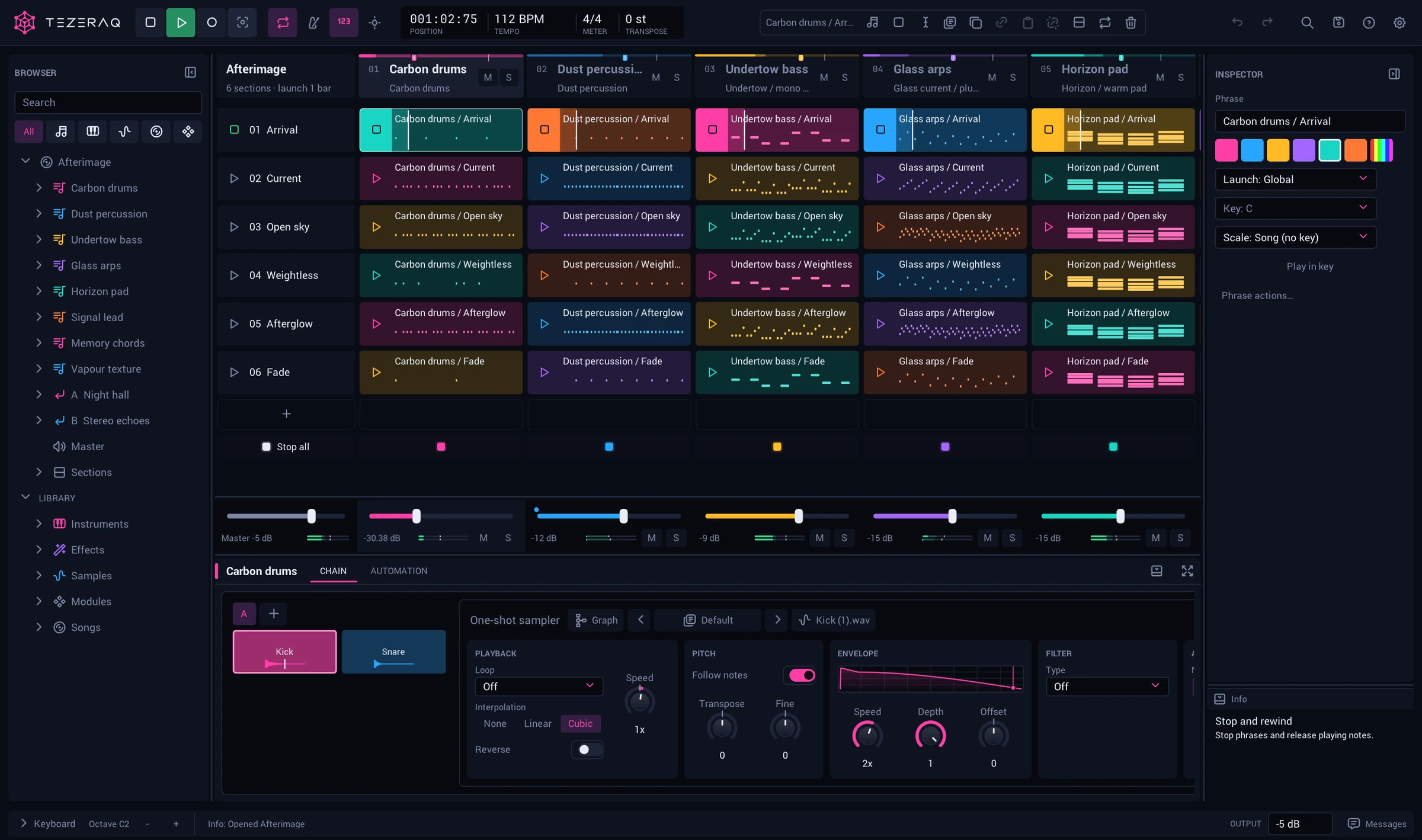
Tezeraq playing a song: six sections down the side, five tracks across, each cell a phrase in its track's colour, with the mixer and the first track's sampler below.

01 · Patterns

Draw a group. Tell it how to play.

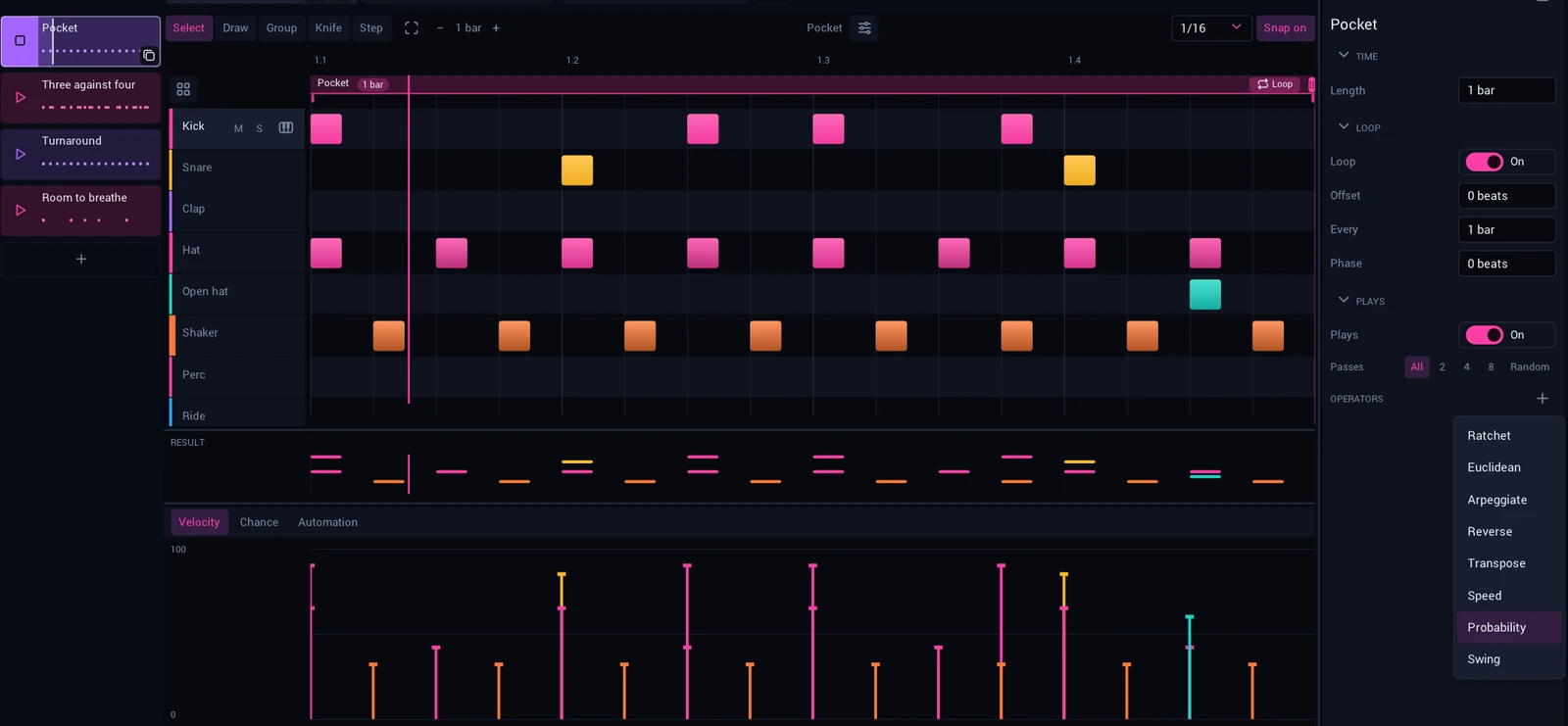
A phrase is built from groups of notes, and groups hold other groups. Each has its own length and its own loop, and time is kept as exact fractions, so three against four stays lined up for as long as it runs.

Add operators to a group and choose which passes they act on. The Result lane shows what will sound.

  • Ratchet
  • Euclidean
  • Arpeggiate
  • Reverse
  • Transpose
  • Speed
  • Probability
  • Swing
A drum phrase on a grid of pads, the Result lane and velocities under it, and the list of operators open: Ratchet, Euclidean, Arpeggiate, Reverse, Transpose, Speed, Probability, Swing.

02 · Sound

Every device opens.

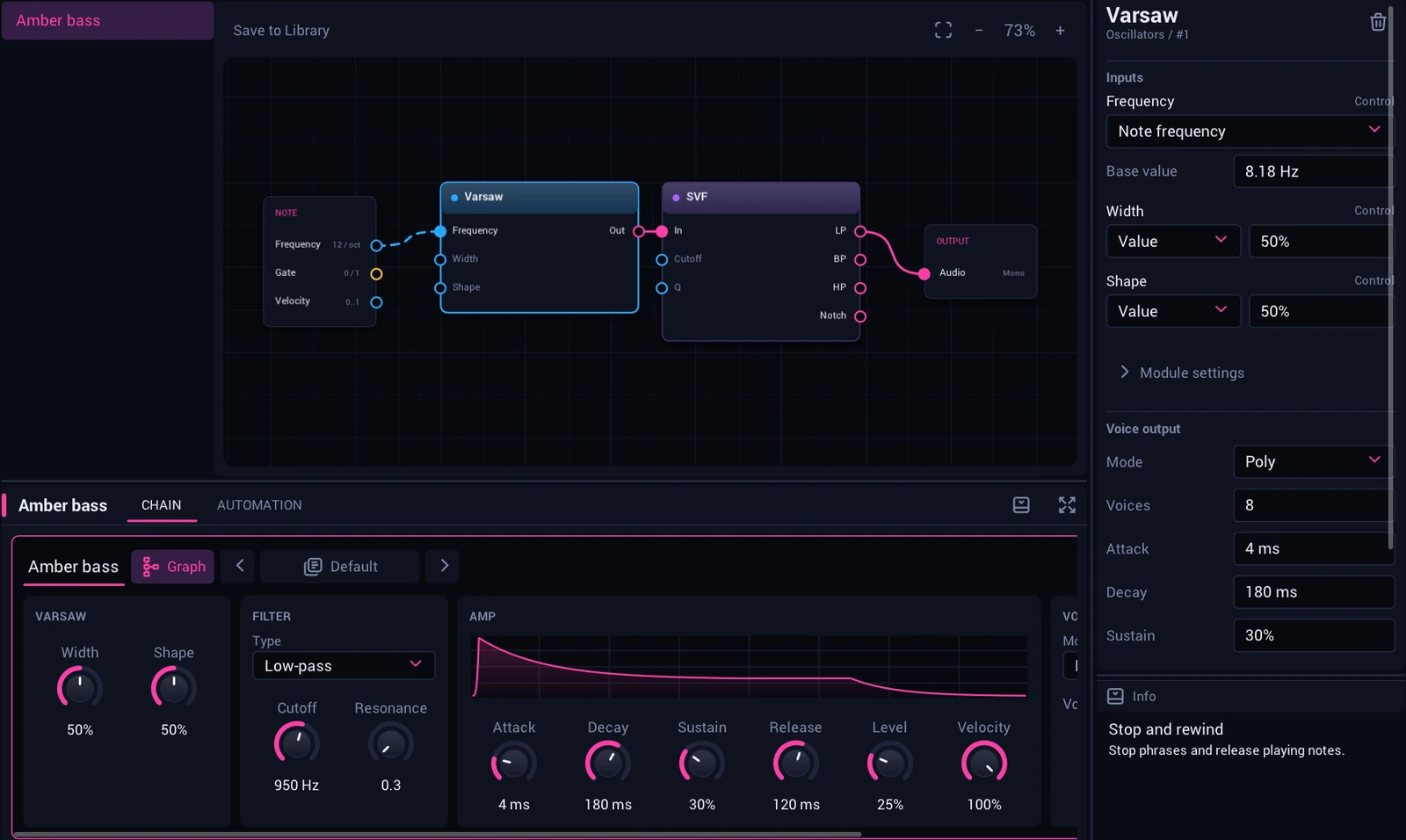
Instruments and effects are graphs of modules. The panel shows the controls that matter; Graph shows how it is made. Change it while it plays and the sound carries on.

There are more than a hundred modules, sorted by what they do: oscillators, physical models, drums, filters, delays, dynamics, envelopes. Save what you build to the Library and use it in any song.

A bass synth open as a graph: the note feeds an oscillator, a filter and the output, above the synth's panel of knobs and its envelope.

03 · Samples

Kits, zones and slices.

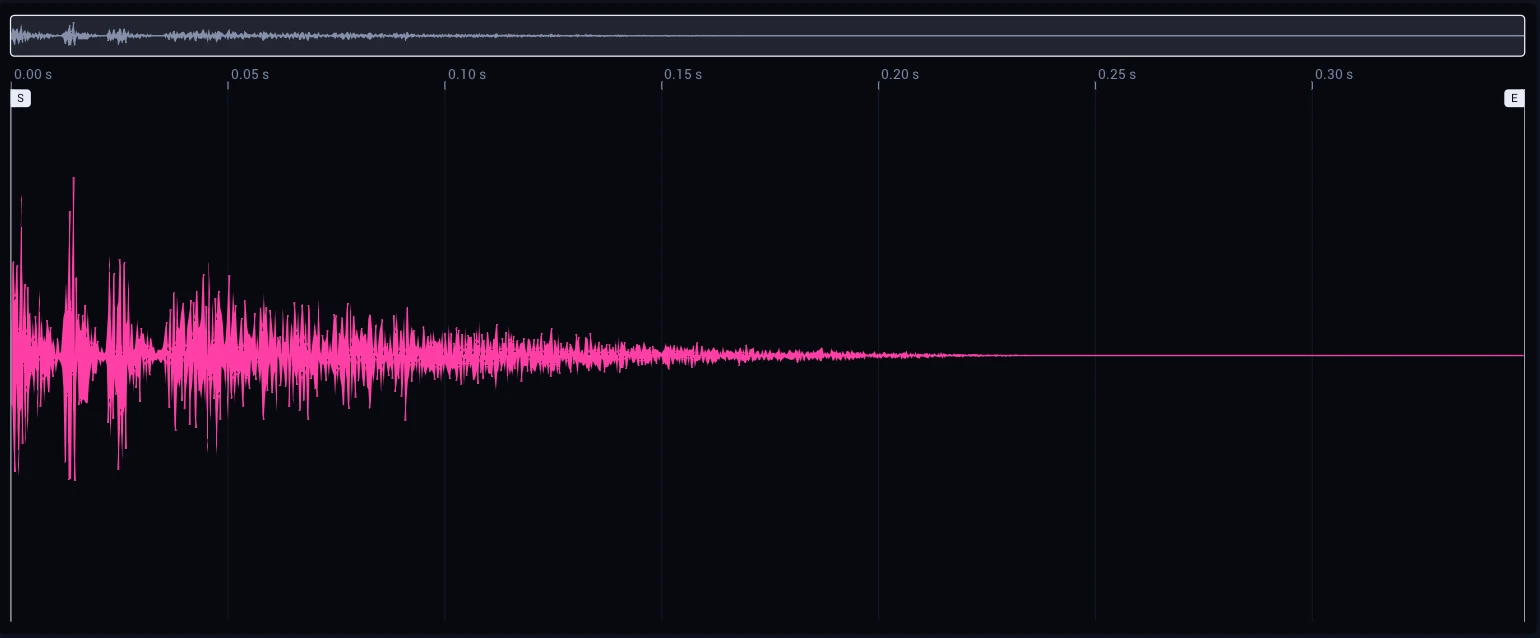
Drop samples on pads to make a kit, map zones across the keyboard, or cut a loop into slices and play them. The sample editor is one step from any pad.

The sample editor: a clap's waveform with its start and end markers and an overview of the whole sample above.

04 · Audio

Audio sits beside the notes.

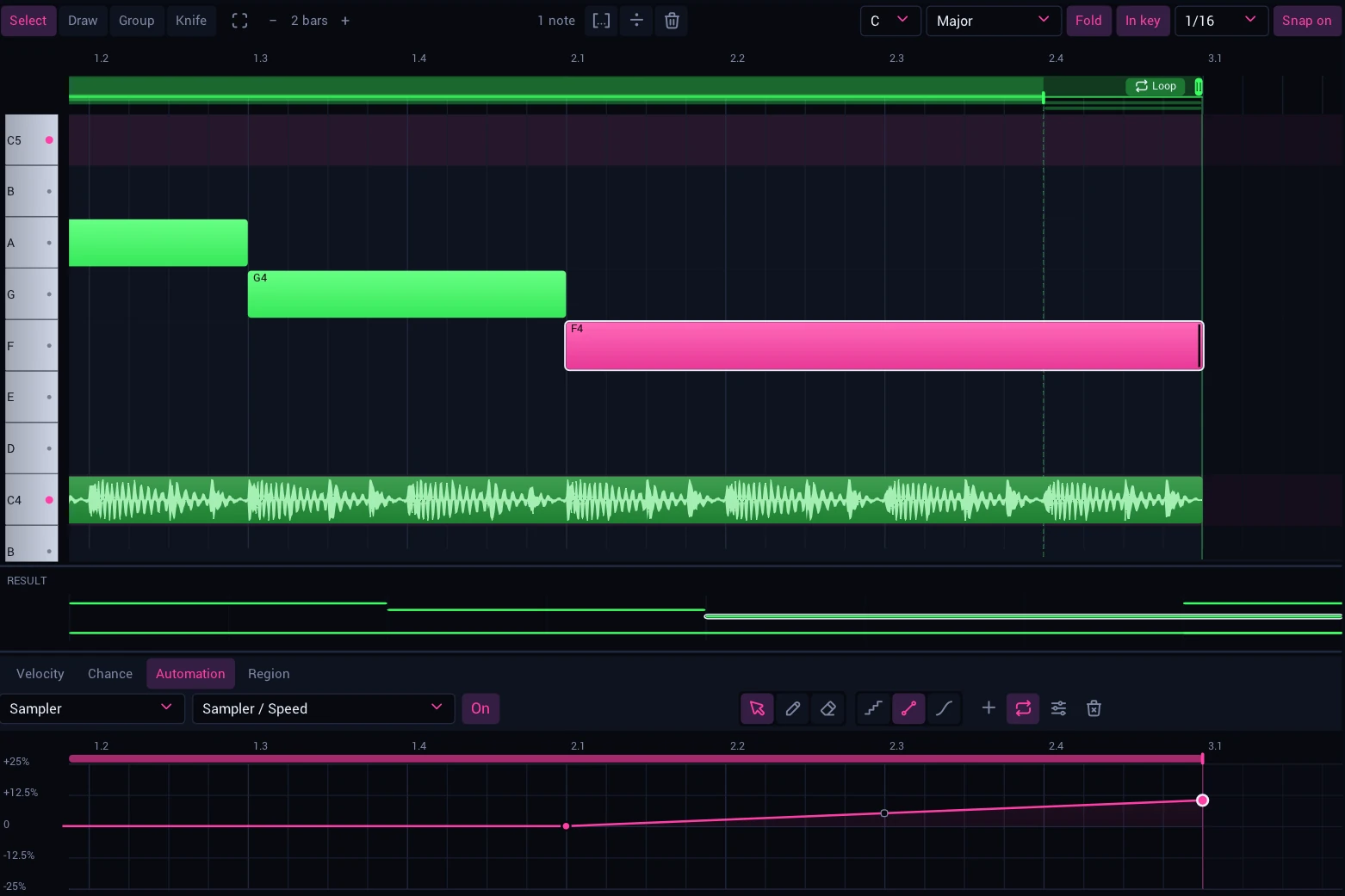
A recording or a loop goes in the piano roll as a note does. It follows the tempo in one of four ways, and each region has its own fades, gain and reverse. Select one and its waveform opens under the roll, with its start, end and fades.

  • Tape
  • Beats
  • Stretch
  • Grains
A bass line in the piano roll: five notes and two pieces of audio among them. The chosen piece's waveform is open below with its start, end and fade, and its settings beside it: fades, gain, and the four ways it follows the tempo.

Also inside

The rest of the studio.

Six-operator FM

An FM synth with 32 algorithms and an editor for every operator. Drop a .syx bank on the window to load its voices.

Effects

EQ, dynamics, limiter, delay, reverb, chorus, flanger, phaser, tremolo, crunch, degrade, frequency shifter, wow and flutter.

Mixer

A channel for every track, inserts, sends to shared effects, and an oscilloscope and a spectrum to put anywhere in a chain.

Recording

Record notes with a metronome and a count-in. Capture makes a phrase of what you just played. Resample a track into a new sample.

Keys

Give a song a key and a scale, play in key, and transpose the whole song at once.

Yours

Seven themes, key bindings you can change, and MIDI in.

Every input

Made for hands as well as a mouse.

Tezeraq is designed for mouse, keyboard and multitouch together, not fitted for touch afterwards. A long press opens what a right-click opens, a pinch zooms the view under your fingers, and a swipe scrolls any view.

So the studio you build on a desktop is the one a tablet will show: the same songs, devices and gestures.

Where it is

In development.
Private alpha coming soon.

Tezeraq is not out yet. It is being built and tested on Windows, macOS and Linux, where a small private alpha, by invitation, will run first. iOS and Android are planned.

Version 1.0 comes when its instruments, presets and songs are finished.

Tezeraq is created by Christopher Wolfe, creator of Jasuto, key contributor to Moog's Model D, Model 15, and Animoog apps, and former Core Audio engineer at Apple.

  • Windows In testing
  • macOS In testing
  • Linux In testing
  • iOS and iPadOS Planned
  • Android Planned

Hear about it first.

Leave an address for occasional news about Tezeraq, and word when it is released. The private alpha is small and by invitation; this list is not a sign-up for it. Addresses are kept by Kit, the list service, and used for nothing else.